THE PHOTO / THE BEND / THE REVIEW
City Folding starts with a better frame.
The source photograph does half the directing. Choose visible architecture and space for the skyline to move.
01
How do you prepare a photo for a City Folding video?
Choose a street reference with visible near pavement, readable distant building edges and room for an overhead bend. Decide which region stays stable before writing the transformation. This site reviews that reference locally and exports direction text. You must submit the source to a separate rendering service and inspect its actual video; a concept image or prompt is not a finished clip.
02
See the geometry before writing the prompt
Original diagrams make the selection criteria visible. They are schematic illustrations, not photographs or generated City Folding results; no comparative success rate was measured.
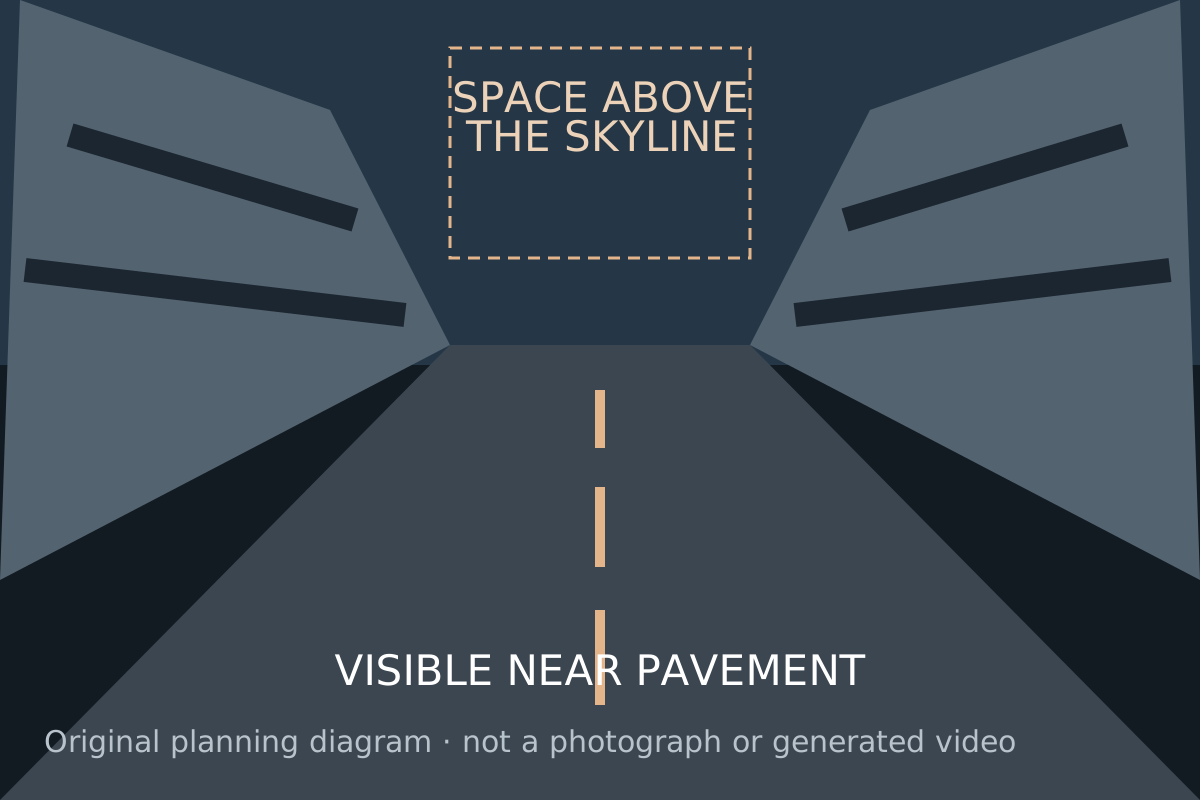
Open street with room above the skyline
A connected street gives the prompt a road and building surface to describe. Open sky provides visual room for an overhead transformation. This is an editorial selection direction.
Open media file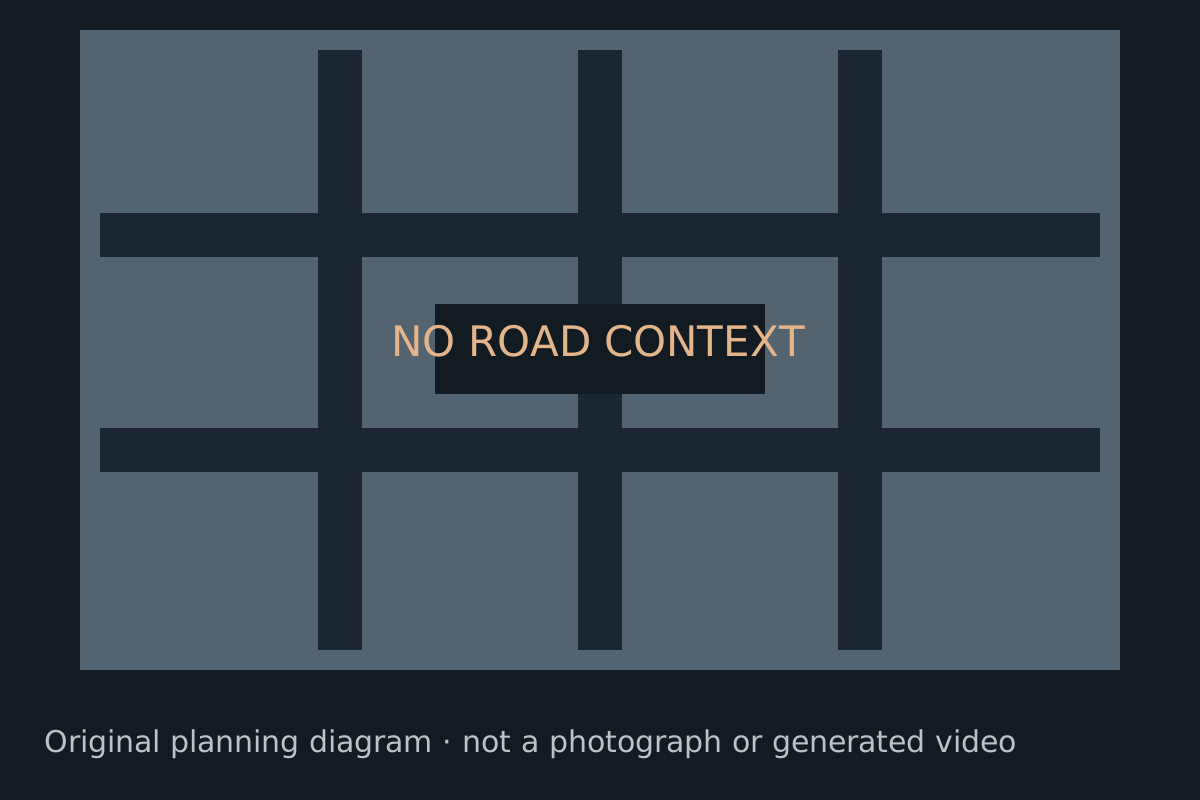
Tight facade with little street context
A facade close-up supplies less connected-road context. If the goal is an overhead street fold, consider a wider authorized reference before trying a paid generation.
Open media file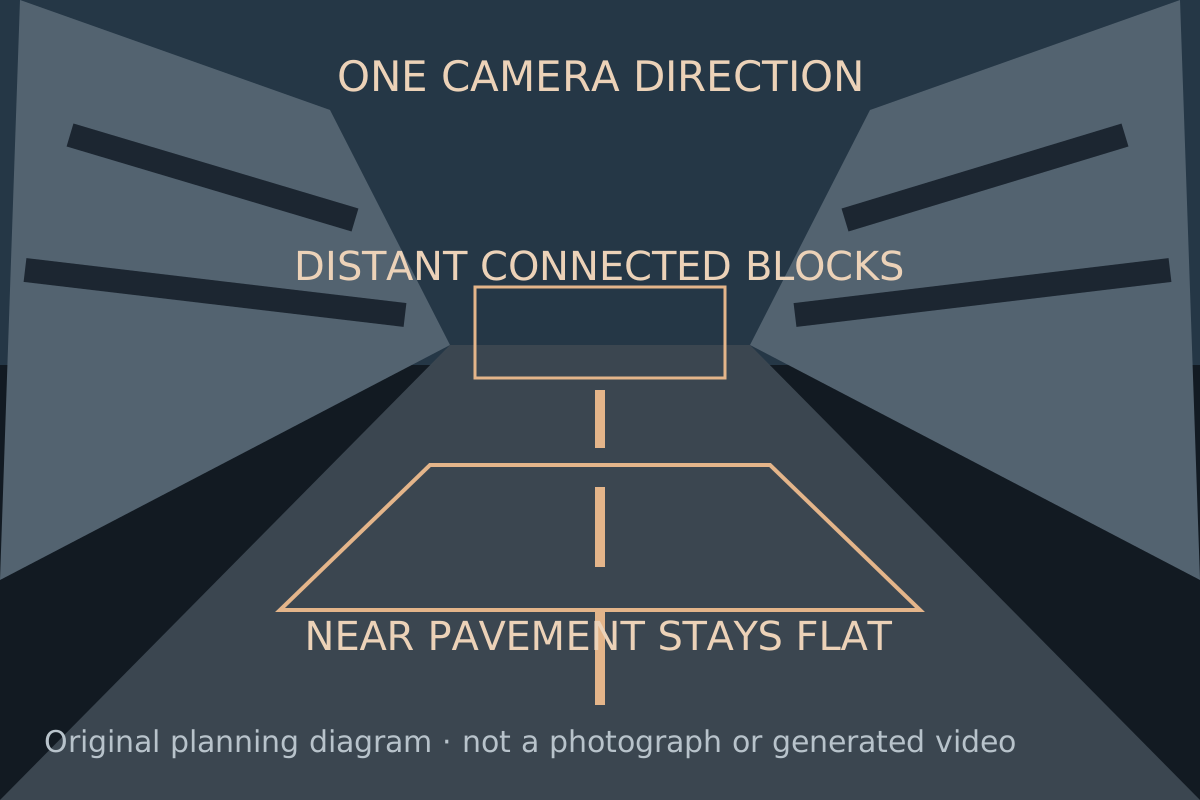
Separate the near anchor and distant blocks
Name the near pavement that stays stable, the connected distant structure that moves, and one camera direction. These are prompt directions that still require a rendering test.
Open media file03
Start with the street.
Choose room for the fold
Look for a visible road, clean building edges and open space above. Keep the nearest pavement and any full-body subject in view.
Direct one continuous move
Choose the lighting, camera and frame. Separate what stays stable from the distant city that bends.
Take your prompt
Copy or save the direction, then use your authorized reference in a video service you choose. This page does not submit it for you.
Review the actual result
Check the bend, the connected street, the foreground and the final framing. A pleasing still is not proof of a coherent moving shot.
04
Read the source before describing the fold
| Reference detail | Useful context | Problem to watch for |
|---|---|---|
| Near pavement | A visible flat strip, curb or crossing | An object cropped across the whole lower edge |
| Distant geometry | Connected road and distinct building edges | Dense overlap hiding the surfaces that should bend |
| Space above | A composition that leaves room for the skyline | A tight crop that obscures the intended overhead reveal |
| Foreground anchor | An original object separated from the distant bend | An anchor that overlaps several moving surfaces |
05
Select a readable street.
Use a broad avenue, crosswalk or visible pavement with distinct building edges. If a person is the foreground anchor, use a full-body photo and avoid crowded overlap.
The Pollo guide describes an existing City Folding effect: upload a street photo, adjust the crop and preview its output. Its tutorial was updated September 30, 2026. That date does not establish when the visual idea first appeared.
For a general video model, start with a single uninterrupted shot and describe the fold explicitly. Reference support and generation settings depend on the service you use.
Inspect movement in the full clip. Road lines should continue through the bend, the foreground should remain coherent and the camera should move consistently. A distorted person or a collapsing skyline calls for a revised photo or direction.
06
One frame. Two kinds of gravity.
The visual brief comes from the effect guide. The controls describe this prompt tool, not promised video specifications.
- REFERENCE
- Street photo with visible pavement and architectureSource: Pollo effect guide
- MOTION
- Distant urban blocks fold upward and overheadSource: Pollo effect guide
- FOREGROUND
- Near pavement and subject stay stableSource: Pollo effect guide
- HERE TODAY
- Local photo review and a downloadable text promptSource: Try the tool
- VIDEO OUTPUT
- Not connected in this releaseSource: Release scope
Last checked 2026-10-08
07
Before the skyline moves.
What is the City Folding effect?
A street begins normally, then distant roads and buildings bend upward and over the scene. Keeping a person or the near pavement stable makes the impossible architecture readable. This site helps prepare a directed prompt for that visual effect.
Does this site generate a video today?
No. This release lets you select a local reference, choose scene and camera directions, then copy or save a prompt. Video rendering is not connected. The hero image is original concept artwork, not a video result.
Which photo should I use?
Use a wide street scene with visible pavement, building edges and space above the skyline. If a person is present, keep their whole body in frame. A tight face-only selfie gives the fold little architecture to work with.
Is my photo uploaded?
No. It is decoded in the current browser tab for reference review. Copying or saving the prompt does not include your photo or its filename. Removing the photo or reloading clears it.
Will the prompt guarantee the same effect?
No. A prompt expresses a target; each video model may interpret the geometry differently. Check that the foreground stays stable, streets remain connected and buildings fold rather than melt. Review actual output before sharing.
Is City Folding a separate AI model?
It is an effect name, rather than a model offered by this site. Pollo has a dedicated effect page; general image-to-video models are a separate route that needs testing for this shot.
08
Choose your next step
These reference criteria are planning advice, not a measured success predictor. Use your own or authorized original imagery and keep the source available for comparison.
Write the City Folding prompt, choose one camera move, then inspect the rendering-route comparison. After rendering elsewhere, review road connectivity with the troubleshooting checklist.
Give the city a different horizon.
Prepare the photo and direct the bend.
09
See the planning examples
The reference-image gallery and browser check show the visual planning criteria, current local controls and an exact downloaded prompt.