Reference images · Visual planning
City Folding reference images. Make the street readable.
Use the visual geometry to plan your shot, then inspect the actual direction exported by the browser tool.
01
Which reference image suits a City Folding shot?
Start with an authorized street image that shows near pavement, connected buildings and room above the skyline. A tight facade leaves less street geometry to describe. The diagrams here explain those editorial choices, while the browser screenshot records a real local prompt export. This site prepares references and direction text; it does not currently submit or render City Folding videos.
02
See the geometry before writing the prompt
Original diagrams make the selection criteria visible. They are schematic illustrations, not photographs or generated City Folding results; no comparative success rate was measured.
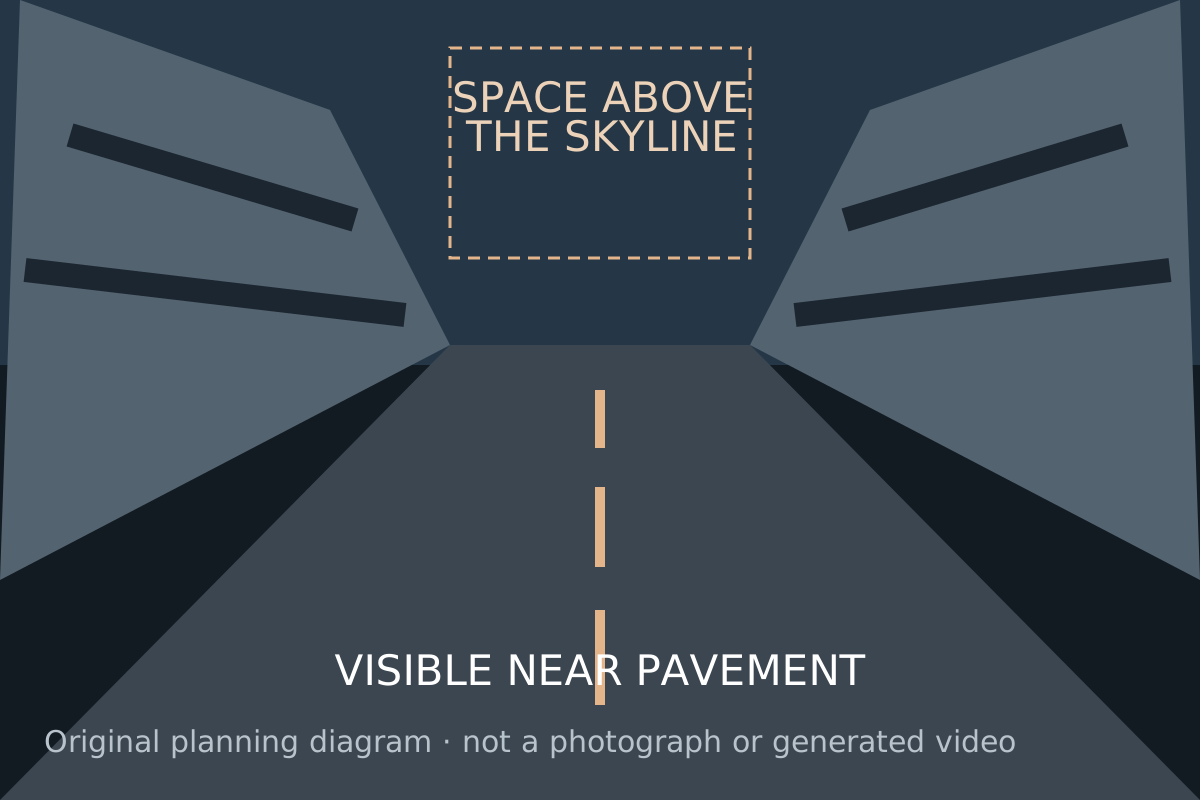
Open street with room above the skyline
A connected street gives the prompt a road and building surface to describe. Open sky provides visual room for an overhead transformation. This is an editorial selection direction.
Open media file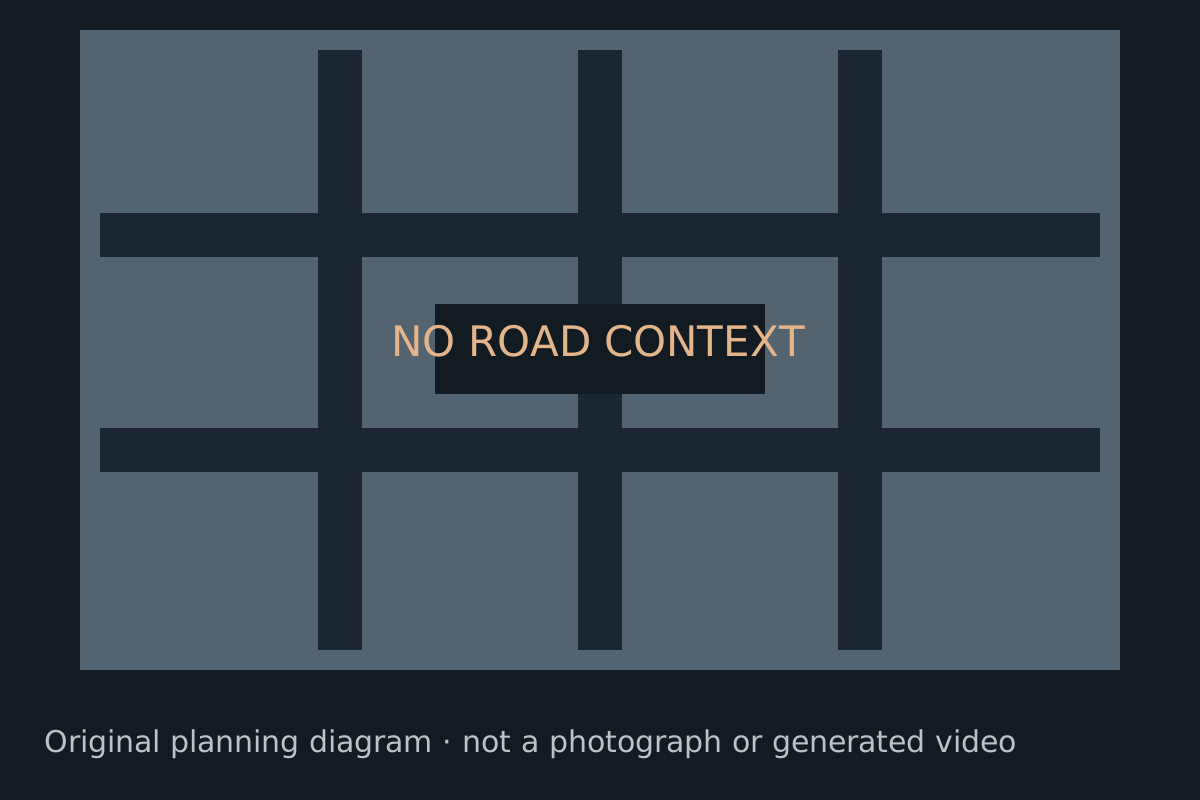
Tight facade with little street context
A facade close-up supplies less connected-road context. If the goal is an overhead street fold, consider a wider authorized reference before trying a paid generation.
Open media file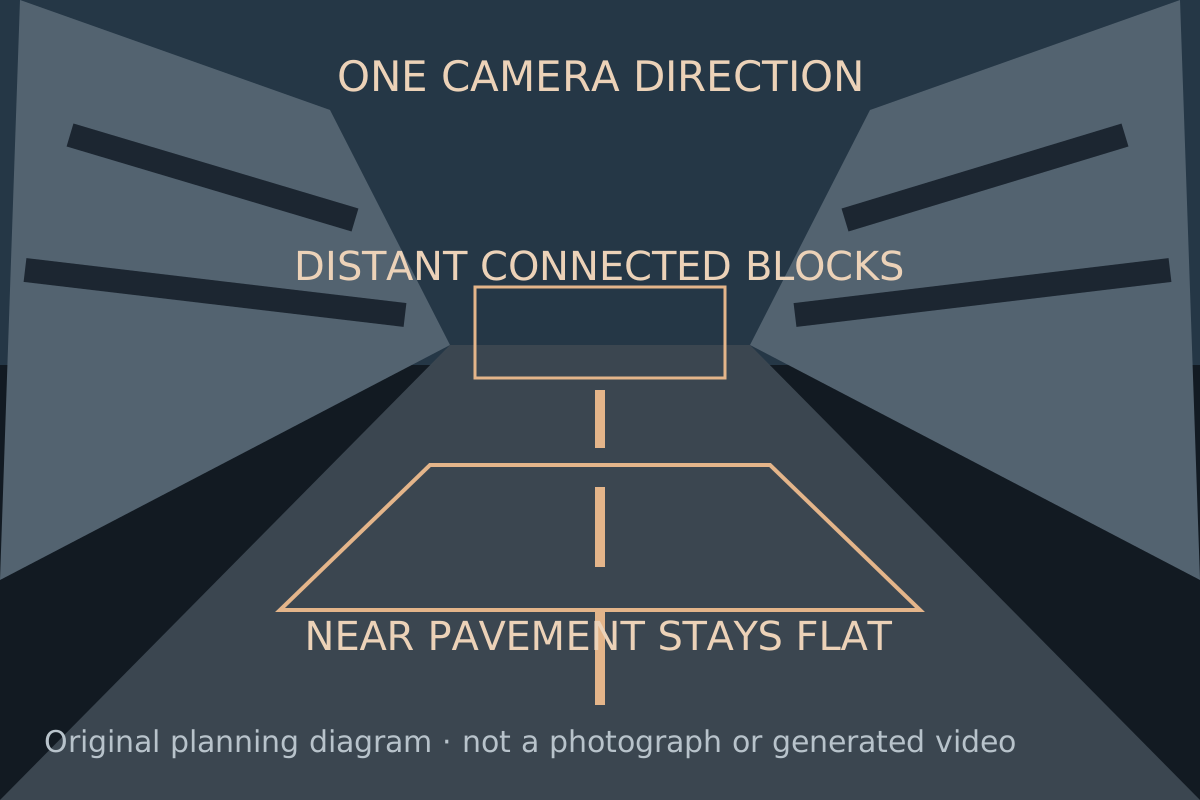
Separate the near anchor and distant blocks
Name the near pavement that stays stable, the connected distant structure that moves, and one camera direction. These are prompt directions that still require a rendering test.
Open media file03
Inspect the reference in four passes
Find the continuous road
Look for pavement and building edges that establish the original perspective. Describe a connected distant surface instead of independent towers rotating at random.
Choose what remains stable
Identify the closest pavement or a foreground subject. In the direction text, separate the stable anchor from the architecture that bends.
Leave room for the overhead change
Inspect sky and the top of the frame. Choose the target aspect ratio around the composition you intend to review; the tool does not promise a rendered framing result.
Choose one viewpoint
Use the camera movement guide to select a locked view, push-in or tracking direction. Keep an untouched copy of the reference for comparison with any future render.
04
An actual prompt-studio interaction
Checked in the browser on October 9, 2026. We selected a public concept still, chose Keep my scene / Locked camera / 9:16, built the direction and saved the text. The concept still was used to exercise the picker; it is not a newly rendered result or a camera photograph.
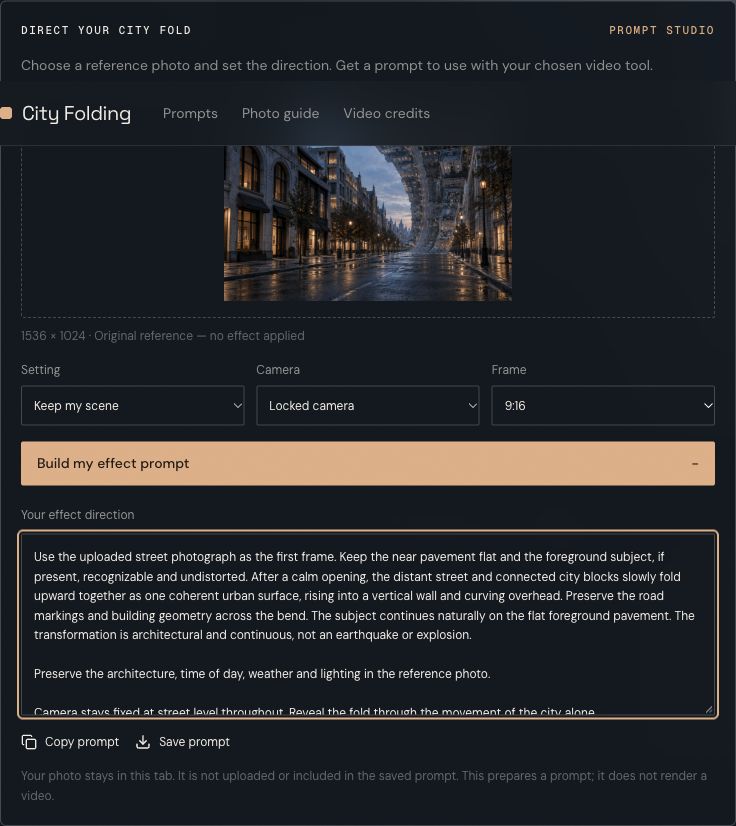
Local reference and saved prompt
The visible controls and text export are the current product. The image remains a local reference, and saving the prompt does not include the image or its filename. Open the exact downloaded prompt.
Open media fileBrowser check and asset provenance05
Use the saved direction as a transparent example
The downloaded 9:16 locked-camera prompt separates the near pavement, the connected distant fold and the camera. The browser check confirmed that the text file downloaded and omitted the image filename. It contains direction text only.
To repeat the local workflow, open the prompt studio, choose an authorized JPG, PNG or WebP, set the scene and camera, and build the direction. Your chosen reference stays in the current tab. A separate service and real output are needed to judge the effect.
For rendering-route decisions, read template versus prompt workflows. If a future output melts or disconnects the buildings, inspect it with City Folding troubleshooting. The suggested revisions on those pages have not been measured as repairs.
06
Publisher, illustrations and external reference
Cicadas publishes this independent guide and operates the local planner. The street diagrams are original explanatory artwork; the screenshot and text file come from our browser check. The hero concept illustration elsewhere on the site is AI-created artwork, rather than a generated video sample.
The effect’s public reference is Pollo’s City Folding page and its effect tutorial. We checked the public interface and source descriptions, but did not run a paid Pollo job. Pollo operates that separate rendering product.
Report a reproducible error with the page URL and relevant diagram or prompt setting to support@cicadas.ai. Read the photo preparation guide for the complete planning-to-review sequence.
07
Reference-image questions
Are these diagrams successful generation results?
No. They are original schematic illustrations for selecting and describing a source. A model’s response must be assessed from an actual video.
What does the browser screenshot verify?
It records local image selection, a locked-camera direction in 9:16, visible output text and a completed text download. It does not verify the City Folding rendering effect.
Does saving the prompt upload my reference?
No. The saved text contains the direction, without the selected image or its filename. Use a separate authorized video service if you decide to render it.
Should I use a tight portrait instead of a street?
Choose around the task. A tight portrait gives an architectural fold little road and skyline context. The diagrams show why a wider street can be easier to describe; no success-rate comparison is claimed.